


We believe that mastering UI UX design is the key to unlocking higher ROI for businesses. However, even small oversights in your design can lead to significant losses in conversions, user engagement, and revenue. No matter if you’re a UI UX designer, a business owner, or just curious about UI UX design, it's crucial to be aware of these pitfalls. Knowing and avoiding these mistakes is key. It helps you steer clear of expensive errors and stay attentive to the details.
In this article, we’ll uncover the top 5 UI UX design errors that hurt ROI—and provide practical, actionable solutions to fix them. We'll also explore how to use tools, ui ux design websites, strategies, and best practices. By implementing these solutions, your designs will not only look great but also perform really well. Let’s dive in!
Ready to elevate your digital presence? Discover how ui ux design consultant Olynex can transform your strategy – Start Your Journey Here
The Silent Killers of ROI: Top 5 UI UX Design Mistakes

When it comes to UI UX design services, many businesses overlook critical elements that directly impact their bottom line. Here are the five most common mistakes that silently sabotage ROI—and how you can address them effectively.
Error #1 - Poor Navigation Structure
Navigation is the backbone of ux and ui design of any product or website. If users can’t find what they’re looking for quickly, they’ll leave—costing you valuable conversions.
Why It Kills ROI
Poor navigation forces users to waste time searching for information, leading to high bounce rates. According to a study by Nielsen Norman Group, users abandon websites within 10-20 seconds if they can’t locate their desired content. This directly impacts your ROI by reducing engagement and sales.
Common Issues:
Overcomplicated menus with too many options.
Hidden or unclear calls-to-action (CTAs).
Lack of breadcrumbs or search functionality.
How to Fix It
Here are some practical steps to improve your navigation:-
Simplify Your Menu: Limit menu items to 5-7 categories. Use dropdowns sparingly.
Add Breadcrumbs: Help users track their user journey and return to previous pages easily.
Test Usability: Tools like Hotjar or Crazy Egg provide heatmaps to analyze user behavior.
Tools and Techniques
To enhance navigation, consider using UI UX design software like Figma or Adobe XD. These tools allow you to prototype and test navigation structures before implementation.
Fixing navigation issues or optimizing load times requires expertise. Explore how our tailored UI UX design services can help you achieve seamless results
Error #2 - Slow Load Times
In today’s fast-paced digital world, speed matters in ui ux design & development. A slow-loading website not only frustrates users but also hinders their experience, potentially leading to lost conversions. Understanding and empathizing with the impact of slow load times on user experience is crucial for every UI UX designer and business owner.
Why It Kills ROI
Research shows that 40% of users abandon a site if it takes more than 3 seconds to load. Slow load times also harm SEO rankings, as Google prioritizes faster websites.
Common Issues:
Large image files without compression.
Unoptimized code and excessive plugins.
Poor hosting services.
How to Fix It
Follow these steps to boost your site’s performance:-
Compress Images: Use tools like TinyPNG or ImageOptim to reduce file sizes without losing quality.
Minify Code: Remove unnecessary characters from HTML, CSS, and JavaScript using tools like Google PageSpeed Insights.
Switch Hosting Providers: Consider reliable services like AWS or Auto Enhancements for faster load times.
Impact of Speed on Conversions
A case study by Walmart revealed that improving page load times by just 1 second increased conversions by 2%. Faster sites mean happier users—and higher ROI.
Error #3 - Ignoring Mobile Responsiveness
Since over 50% of website traffic comes from mobile, making mobile-first a design strategy is not only best practice but essential. Failing to be mobile responsive is a costly mistake that can push mobile users away and lead to missed sales. Google also punishes non-mobile-responsive websites in its search engine results.
Why It Kills ROI
Non-responsive designs push away mobile visitors. This leads to a negative user experience and lost sales. Additionally, Google penalizes non-mobile-friendly sites in its algorithm.
Common Issues:
Text too small to read without zooming.
Buttons too close together for screen touch.
Layovers breaking on smaller screens.
How to Fix It
Here are some steps to enhance your mobile responsiveness:
Take a Mobile-First Approach: Design first for mobile screens and scale up for larger devices.
Use Responsive Frameworks: Frameworks like Bootstrap enable your site to adapt easily across devices.
Conduct Device Testing: Test your prototypes on various screen sizes through channels like BrowserStack.
Mobile Optimization Benefits
Mobile optimization improves usability, boosts user engagement, and enhances SEO search rankings—all for higher ROI.
Error #4 - Lack of Clear Calls-to-Action (CTAs)
Vague CTAs confuse individuals and deter conversions in ux ui designs.
Why It Kills ROI
CTAs drive individuals to desired actions, such as signing up or purchasing. Without clear CTAs, individuals leave without taking action.
Common Issues:
Dull expressions such as "Click Here."
Low-contrast colors that become invisible.
Incorrectly placed CTAs that disrupt the user flow.
How to Fix It
Some tips to boost your CTAs:
Write Action-Oriented Copy: Utilize phrases such as "Start Your Free Trial" or "Download Now."
Use Contrasting Colors: Ensure CTAs stand out clearly.
Position Strategically: Put CTAs in places where users tend to look, such as above the fold or after main content blocks.
A/B Testing for Better CTAs
Experiment with Optimizely or VWO with different CTA variations. Even subtle changes can impact conversion dramatically.
Error #5 - Overloading Users with Information
Too much information overwhelms users and drives them away.
Why It Kills ROI
Cognitive overload leads to frustration, causing users to abandon your site. Simplifying content improves comprehension and decision-making.
Common Issues:
Walls of text with no formatting.
Excessive pop-ups or ads.
Unnecessary animations that distract users.
How to Fix It
Follow these steps for better user visibility:
Break Content into Chunks: Use bullet points, headings, and short paragraphs.
Limit Pop-Ups: Reserve pop-ups for essential messages only.
Focus on One Task Per Page: Keep each page/screen focused on a single goal.
Principles of Minimalist Design
Minimalism isn’t just about aesthetics—it’s about clarity. Follow principles like Hick’s Law, which states that fewer choices lead to faster decisions.
Tools and Technologies for Better UI UX Design
Designing UI UX conversions is not only a matter of creativity—the greatest tools are needed to bring your visions to life. With the greatest UI UX design tools accessible, you can streamline your workflow, giving you the power to design not only aesthetically pleasing things, but also with usability and functionality in mind. It makes it simple for you to collaborate and allows your designs to be efficient. These are some of the most crucial tools that a graphic designer must think about including in their toolkit.
Prototyping Tools
Prototyping is a key part of design. It helps designers test ideas and get feedback before starting full-scale development. These tools let you make interactive mockups that mimic the final product. This helps you spot potential issues early.
A standout product is Figma. It's a design platform where teams can co-design in real-time, no matter the location. It has a cloud-based system that makes it easy to share with stakeholders via prototypes. You can get feedback without any issues. Adobe XD is another popular one. It has an easy integration with other Adobe tools such as Photoshop and Illustrator.
That's why it's a go-to for designers who are already knowledgeable about Adobe tools. If you are focusing on vector-based interface design, Sketch stands out as the top choice, especially for users of macOS. Its intuitive design and robust plugin system make it ideal for crafting detailed, scalable designs. By using these prototyping tools, designers can iterate quickly, test assumptions, and refine their designs based on real user interactions.
User Research Tools
Understanding user behavior is at the heart of effective UX research. The insights gained from user research help designers create solutions that truly meet the needs of their audience. To gather this data, designers rely on specialized tools that provide actionable feedback.
Hotjar is a powerful tool to analyze how users are behaving on your app or website. It provides heatmaps, session recordings, and conversion funnels. This enables you to see where users are clicking, scrolling, and dropping off. Another useful platform is UsabilityHub. It enables designers to run quick usability tests with real users. First-click testing, preference tests, and design surveys are a few of the features that help you validate design decisions and make your solutions intuitive and easy to use.
These tools save time and offer data-driven insights. This can greatly enhance the overall user experience.
Development Tools
For developers who work with designers, the right tools ensure that they make a smooth transition from design to development. Such tools bridge the gap between visual concepts and functional, responsive user interfaces.
Bootstrap is one of the most widely used frameworks that makes responsive layout development simpler. Its pre-built components and grid system allow for easy development of mobile-friendly designs. They do not need to start all over. React.js is another JavaScript library making dynamic UI development simple. React uses a component-based methodology. It is simple to create complex, interactive interfaces. It makes the code clean and reusable too.
By adding all these development tools to your workflow, you can ensure that your designs are not only visually fantastic but also technically sound and interactive on devices.
Ready to elevate your UI UX design and drive tangible results? Visit our website today...
How to Build a Good Career in UI UX Design
Creating a strong career in UI UX design is an exciting journey. It blends creativity, problem-solving, and technical skills. Businesses see how important good UI/UX design is, so they need more skilled designers. Here’s how you can position yourself as a top-tier UI designer in this competitive field.
Master Essential Skills
To be successful in UI UX design, you need good technical and soft design skills. Begin learning tools such as Figma, Sketch, and Adobe XD. These are required to design wireframes, prototypes, and ui ux design mockups in the industry. Visual design principles are important to learn. Colour theory, typography, and layout influence how users see your designs.
In addition to being technically proficient, place emphasis on learning information architecture and user research. User research involves discovering what users do through interviews, surveys, and usability testing. You can utilize software like Hotjar or UsabilityHub to view how real users interact with your designs. Information architecture, on the other hand, organizes content in a rational way so that you can navigate your digital product easily.
A single pro tip is to also follow industry leaders on Dribbble or Behance. Not only do these websites share excellent designs, but they also share inspiration and real-world ui ux design examples of how to address common design flaws.
Gain Practical Experience
While theoretical knowledge is essential, hands-on user experience design is what truly sets you apart. Start by working on freelance projects through platforms like Upwork or Toptal. These platforms allow you to collaborate with real clients and gain exposure to diverse industries and design challenges. Alternatively, consider internships with established UI UX design agencies or companies. Internships offer mentorship and show you how professional teams work.
Another excellent way of getting experience is by creating personal projects. Take a website or app already out there and recreate it, and document the entire process from start to finish. Explain what issue you identified, what fixes you implemented, and what results you achieved. Not only does this bring depth to your portfolio, but it also indicates that you're able to think on your feet and come up with creative solutions to problems.
Pursue Training and Certifications
Ui ux design training & certifications aren’t required, but they can greatly enhance your credibility and knowledge. Platforms like Coursera, Udemy, and the Interaction Design Foundation offer comprehensive courses on what is UI UX design and advanced topics like UX research and prototyping. These courses usually have hands-on tasks and projects. This gives you real-world experience as you are learning.
If you prefer to change careers in a rush, bootcamps like General Assembly or Springboard provide project-based, intensive training. These are designed to equip you with job-ready skills in no time. Additionally, obtaining certifications from reputable institutions like Nielsen Norman Group (NN/g) or completing the Google UX Design Certificate can make your resume stand out for potential employers.
Build a Standout Portfolio
Your portfolio is your best tool in showing your work and earning prospects. Your portfolio not only has to have the best pieces but should also speak about the behind-the-scenes process of each project. Include case studies where you tell the tale of the issue you were facing, the research you conducted, and the methodology you used in arriving at your end design. This storytelling method will make your potential employer understand your thought process and problem-solving capabilities.
While constructing your portfolio, be as diverse as possible. Have a variety of projects showcasing your range, including mobile app designs, web interfaces, and even mobile UI UX design projects. Utilize sites such as Behance or Dribbble to display your work for the design world, or set up a personalized portfolio site through sites like Webflow or Squarespace. Not only will a personal website exhibit your design pieces, but it will also portray your level of detail and devotion to quality.
Network and Stay Updated
Networking is the way to stay current and discover opportunities in the UI UX design industry. Participate in communities like Reddit's r/UIUC or Designer Hangout, where designers share their projects, get feedback, and exchange trends. Conferences like the ui and ux design Summit or local meetups will also introduce you to industry leaders and give you an idea of the latest technologies and methodologies.
Writing about topics such as Smashing Magazine or UX Collective is also a great way to stay up-to-date with what's new. AI in design, neumorphism, and voice user interfaces are revolutionizing the field, and staying ahead of these trends can make you more competitive. Sharing your own opinion on platforms like LinkedIn can also establish authority and attract potential employers or clients.
Looking to join a team of passionate designers? Explore exciting career opportunities at ui ux design firm Olynex – Join Our Team
Case Studies: Real-World Examples of Improved ROI Through UI UX Design
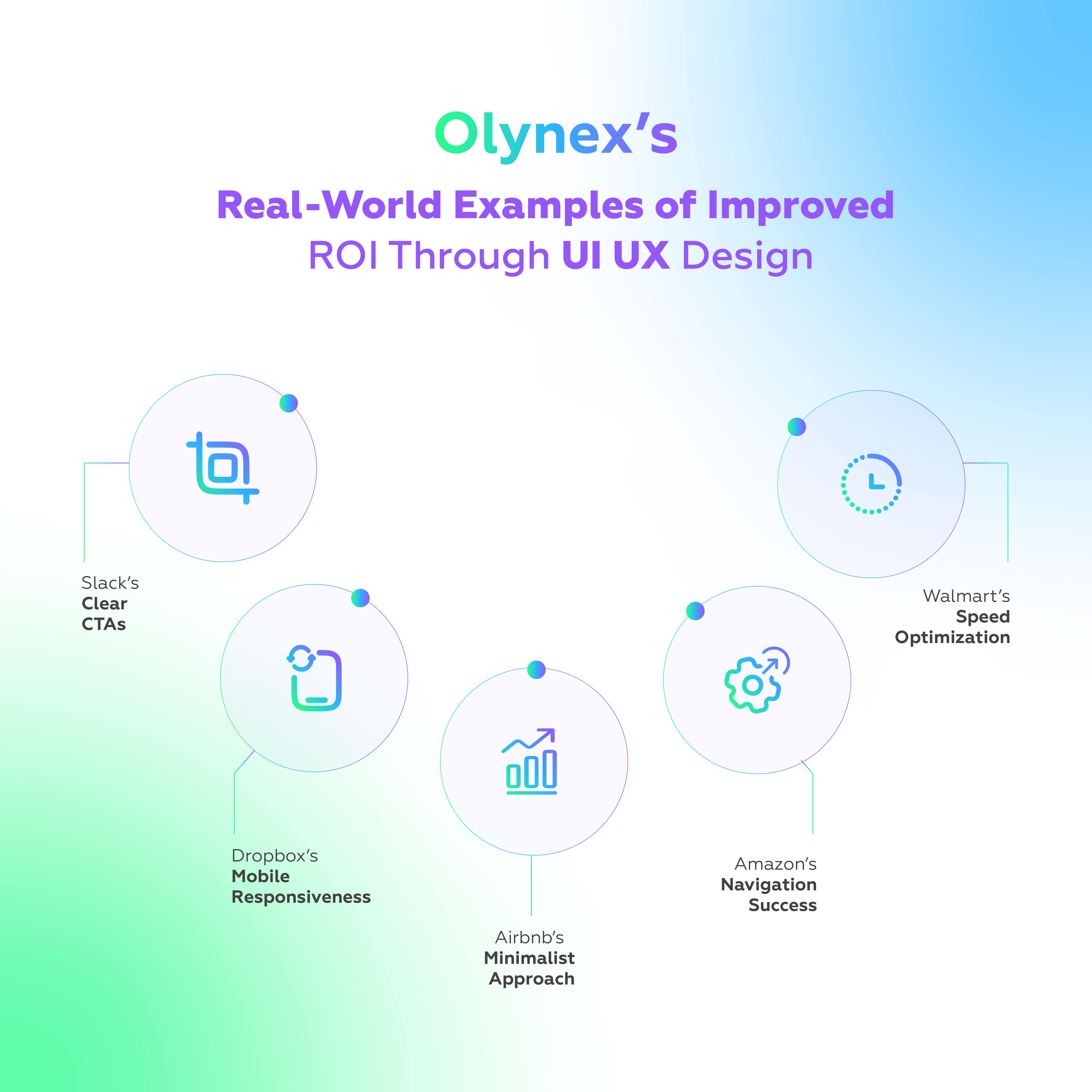
Real-world examples provide valuable insights into how UI UX design can directly impact ROI. By examining successful case studies, you can learn how businesses addressed common design errors and achieved measurable improvements in performance.
Amazon’s Navigation Success
Amazon’s navigation bar is a prime example of how simplicity and functionality can enhance user experience. With millions of products, Amazon faced the challenge of helping users find what they needed quickly. To address this, they simplified their menu structure, categorizing products into broad yet intuitive groups like “Electronics,” “Clothing,” and “Books.” They also added a prominent search bar with predictive suggestions and used breadcrumbs to guide users back to previous pages.
The result? Improved navigation led to higher engagement and increased sales in their ui ux design company. This case study highlights the importance of a well-structured navigation system in enhancing usability and driving conversions.
Walmart’s Speed Optimization
Walmart recognized that slow load times were costing them customers and implemented a site-wide optimization strategy. They compressed images, minified code, and switched to a faster hosting provider. Additionally, they implemented a Content Delivery Network (CDN) to serve content globally, reducing latency for users in different regions.
The impact was significant: every second of improved load time resulted in a 2% increase in conversions. This case study underscores the critical role of speed optimization in improving user retention and ROI.
Airbnb’s Minimalist Approach
Airbnb’s success lies in its clean, minimalist design that focuses on user goals. Initially, cluttered layouts distracted users from booking properties. To address this, Airbnb streamlined its homepage with clear CTAs like “Search for Places” and used whitespace strategically to guide users’ attention. They also minimized distractions by reducing animations and ads.
The result was a more intuitive and enjoyable user experience, leading to higher booking rates and customer satisfaction. This case study demonstrates how minimalism can improve clarity and help users focus on key actions.
Dropbox’s Mobile Responsiveness
Dropbox revamped its mobile app to cater to the growing number of mobile users. The previous version was non-responsive, frustrating users and hurting adoption rates. To fix this, Dropbox adopted a mobile-first approach, prioritizing smaller screens and ensuring adaptability across devices. They used responsive frameworks like Bootstrap and conducted rigorous device testing to eliminate bugs.
The outcome was a significant boost in user engagement and subscriptions. This case study highlights the importance of prioritizing mobile responsiveness to reach a wider audience and improve ROI.
Slack’s Clear CTAs
Slack’s success in acquiring users is partly due to its clear and compelling CTAs. Initially, unclear Call TO Action's confused users during the signup process. To address this, Slack used action-oriented phrases like “Try Slack for Free” and “Sign Up Now.” They placed CTA prominently above the fold and used contrasting colors to make buttons stand out. The result was a streamlined onboarding process and higher conversion rates.
Olynex’s Real-World Success
At Olynex, we’ve seen firsthand how strategic UI UX design can transform businesses and drive measurable results. For instance, one of our clients, a growing e-commerce platform, struggled with high bounce rates due to slow load times and cluttered navigation. By implementing a mobile-first approach, optimizing their site speed, and simplifying their menu structure, we helped them reduce bounce rates by 35% and increase conversions by 20%.
Another success story involved a SaaS company that needed clearer CTAs and a more intuitive onboarding process. With our tailored UI UX solutions, they achieved a 25% boost in user sign-ups within just three months. These case studies demonstrate Olynex’s commitment to delivering designs that not only look great but also deliver tangible ROI. Ready to see similar results for your business? Let’s work together to craft a strategy that works for you!
These case studies demonstrate how effective UI UX design can boost ROI. Ready to achieve similar results for your business? Let us help you.
Final Discussion
At Olynex ui ux design agency USA, we understand that mastering UI UX design is key to unlocking higher ROI. By avoiding these 5 common errors—poor navigation, slow load times, ignoring mobile responsiveness, unclear CTAs, and information overload—you can create designs that engage users and drive results. Remember, great design isn’t just about aesthetics; it’s about solving problems and delivering value.
Want to dive deeper into UI UX design trends and strategies? Stay ahead with the latest articles and insights from the top ui ux design agency – Read More Here
People Also Ask
1. What is UI UX design?
UI focuses on visual elements like buttons and icons, while UX ensures seamless interactions. Both are crucial for creating enjoyable digital experiences.
2. Why is mobile responsiveness important?
Over half of web traffic comes from mobile devices. Non-responsive designs frustrate users and hurt SEO rankings.
3. How do I improve my site’s load time?
Compress images, minify code, and choose a reliable hosting provider to enhance speed.
4. What makes a good CTA?
Clear copy, contrasting colors, and strategic placement make CTAs effective. You can visit HubSpot to learn more.
5. Where can I learn UI UX design?
Explore online courses from platforms like Coursera and Udemy, or attend workshops hosted by top UI UX design agencies.